Showing posts with label ubuntu. Show all posts

Friday, 8 January 2010

X-Ubuntu

Two days ago, my puppy linux on my white eee pc died(the desktop is blank when you boot). I could have tried to fix it or even reinstall puppy, but I decided not to. I am sick of the browsers on it.

So, I thought I should try out xubuntu. I had tried out X-Jaunty a while back and I didn't see any real diffirence. But this time I took a closer look. So, this morning, I got the .iso, used usb startup disk creator in ubuntu. Working fine. I installed it on my ep 700, booted. Really fast. And it worked.

So, I don't see much diffirence. The display settings take a lot longer to get your head round than ubuntu. I don't really care about that though! Xubuntu is about 2/3 of the size of ubuntu. But, it is fast! So far, it has not 'hesitated' at all. So, Xubuntu is fast!

I hope this post wasn't too short!

Wednesday, 18 November 2009

Why Linux Works


When I started out with Ubuntu, I wasn't interested in any of the other linux distros like Suse, Mandriva...

But, as you can guess, I've changed my mind, I do prefer some distros more than others but I pretty much like them all!

Google Chrome OS is gonna drag linux into it's battle gear and well... that's to be found out!

Saturday, 14 November 2009

Phun, as entertaining as the name suggests


I found out about phun a good while ago. But it's only once in a while that I actually get to play it again because I always try rather big and unpredictable experiments (that's why I like portable apps!) so programs only keep if they are any good, because I'll only actually bother to get em back if they were any good!

Anyway, so what am I talking about? It's a 2D physics sandbox that is extremely addictive! You can invent something to do anything of nothing, except maybe something that's important! In simple terms, it's a program where you can build thing, press play and the objects that you place will move into action(e.g. if you put a ball in mid air and pressed play it would fall).

It's not open source, but it's free and build for Linux, Mac, and PC(notice the order), the Linux version runs dead slow so I use wine and run the windows version(bizarre, isn't it!).

If you have any interest in physics(or Phun) or just something creative, try this.

Thursday, 12 November 2009

The Future of Ubuntu

I found out about ubuntu a few in 2007 when I was experimenting with an old 'piece of junk'(now a good speed useful machine) and I was quite impressed that something with an open system had almost reached Microsoft's standards.

So, I left that old 7.04 on that machine using it once in a while for the odd experiment. Never updating or looking into linux. A while lat somebody else asked if I could help putting it on their home machine(the previous xp died of virusation(or whatever you call it)). So anyway, that got me back to the ubuntu site and I realised how much the OS had developed in two years.

So, I put jaunty on that old machine and used that instead. Then I heard about karmic, in three months it would be coming out. Many bloggers and tweeters were saying "Oh, Karmic, yet another release. Six months, PSHAW!". I didn't listen. I just waited impatiently for Karmic. So, when it finally did come out two weeks ago, obviously I got it (15 min after the release!). I put it on my eeepc 900 and viola, I had ubuntu back(I had forced myself to stay with xandros until the release).

So, what did I think. I liked the background, everything worked(excluding the USC repos) and I was running ubuntu again. It wasn't as much as I expected(I was expecting a vista7 anyway!), but it was exactly what should be expected. Anyway, straight after, I read posts on Lucid Lynx, and what it was coming with. This time I looked at it with slightly less enthusiasm than Karmic.

Anyway, down to the big question, what is the future of ubuntu? Faster boot, better speed integration... a version of Linux ready to top all the other distros and show Microsoft the true power of the open source world(STAR WARS!). No, not exactly. Ubuntu has taken a risk with Karmic, getting into low level code did mess up a few things. And I think the Lynx is gonna be the same. Then, the M(oon?) may tip the boat a little more. But by then, gnome 3'll be there, the bugs would be cracked and the N(est?) will be the best version of linux out there(assuming that techology doesn't take a truly dramatic change that'll catch ubuntu of guard, but even then...SUSE?). And not just ubuntu, the open source world won't stop growing!

Saturday, 31 October 2009

Gambas, VB for linux

The other day I was browsing around for a VB-like app for ubuntu an I found Gambas, which was just what I wanted. It's simple, straightforward and thats's all. Gambas, Vb for ubuntu.

Thursday, 29 October 2009

Karmic Koala: Yet Another Review

Ok, at 3:00(GMT) today, I refreshed the ubuntu website and found out that Ubuntu Karmic Koala had finally been released. I only started using ubuntu in jaunty so I was kid of exited at this one!

So, I got the ISO(took me two hours for 610mb!) and put it onto my EEEPC-900. It booted slow on first boot then it told me that my battery was a piece of ***(not exactly) so I tested and within two minutes it took away 20%. At first I thought is was the OS but then I found, when I booted into puppy, that my battery really was a piece of *** unless,...(haven't tried that yet!). Anyway, the theme is cool, it does boot up faster(contrary to several ubuntu forum members' reports) but(but....) the famous Ubuntu Software Centre and Ubuntu One have either one problem or another.

Empathy and Evolution work like clockwork(is that the proper expression?) and just about everything works a tiny hint faster than Jaunty. So, apart form Ubuntu One, Software Centre and my blooming battery, Karmic is better than jaunty on my eeepc-900(linux edition).

Monday, 12 October 2009

The Tale of Two Hard Disks

A while back (not so long ago) I decided to try and add RAM to my ancient 'deb' machine and it didn't work out so well. I had three hard disks in it at the time, one 40gb with a dual boot of XP and ubuntu, another one an 8gb with XP only and the third was a 2 gig with some old backups on it(it was unplugged at the time because I wasn't in need of it). Ubuntu worked fine with the change of RAM and sped up as I had wanted it to. The Xp on the big hard drive died of a blue screen and the other XP wouldn't log on. (That just shows how capable ubuntu is doesn't it?)

So, I tried to fix the Blue Sceened XP by putting the RAM back exactly where I found it but it didn't work. So, I put it all back like it was in the end, two OS poorer.

Then, I used the ubuntu and played around with it a lot. But one day, I was playing around with the users and groups and I accidentally made all users guests (I don't have a clue!)!?!?!

So, it was then useless to me but I left it because I had other things to do at the time. The day before yesterday, I booted from the 8gb to see what would happen and it worked perfectly. I was happy then and so I switched to the other one and reinstalled ubuntu successfully therefore havin two OS back up and running.

Then, I did the stupidest thing in the world, I decided to copy the contents of the 8gig hard disk to the xp partition on the 40gb. It went OK at first(but for the fan that was spinning tons of RPS; Remember, this is an old computer though) and then I went out for a bit and when I came back, the fan was spinning at it's usual, slow rate and the screen was blank. Nothing I did could change it so I hit the turn off button and rebooted. Then, it said "Disk Reader Error" then nothing.

So, (I thought *!*!*!) I supposed that the cable connected to the hard disks had died. I unplugged the cd and dvd drives and plugged one of them into the 40gb. Nothing. The 8gb. Nothing. Then I left them both alone and went to bed!

The next morning, I got another cable from a bag of stored cables and I tried it. At first I only plugged it into the 40gb(for no particular reason) and booted. It worked. Perfectly. Straight back into the same old ubuntu(the xp was flat obviously!). So, as happy as an angel. I took the other cable out. I then plugged in both hard disks making the XP a slave and booted. "Disk Reader Error"(*!?) So, I unplugged the 8gb and booted, making it work fine again.

That was what it was like until I wrote this post, supposing that the 8gb was dead and diseased. Half way through the post though, I tried the 8gb seperately and it worked!

And that is the end of the tale of: TWO HARD DISKS!

Thursday, 1 October 2009

Ubuntu Moblin Remix Review

I just read a ton of stuff about Ubuntu Moblin Remix and it looks awesome. A new stylish appearance and whoever desighned it's UI has taken a big step(risk) in taking away the task managing effects of Operating Systems.
It's UI is a bit like the I-phone, no window management(unless you want to!). It's a pretty cool Idea. It has it's own browser (based on firefox) and it looks really cool.

One thing I'm wondering is how much memory it takes, because if I try running it on a 4gb netbook, I'm wondering if I'll atleast have a gb to spare or if it will be the end of my memory problems?

The people who desighned the look and feel of this thing must have been pre-maccy dueds, because it really does have a similar UI to the mac and the toolbar gives the same feel!

I'm gonna try running it sometime on an EP700(Bizarre I know!) and see if it runs at a bearable speed or not because that will really show how slick and cool this Operating System really is!

Tuesday, 29 September 2009

My Googly Theme


I've been reading up on gnome themes and I have put together a really nice one. This is on a small screen so it may look different on a desktop.

Here is a step by step tutorial of how to get exactly what you see in the picture(even chromium!)

First, you need the window theme which you can download here.

Then, you'll need to install it by going System > Preferences > Appearance. Then click Install an browse to the tar.gz theme file you downloaded earlier. Apply It. Then, before you exit, click customise and make the:

  • Contols: glossy
  • Icons: Mist
  • Pointer: Whiteglass

Then, close that and go to background and get this background and set to zoom. Then, go into fonts and make it look like this:

Interface: 

Show Icons in Menu: Ticked
Editable Menu Shortcut keys: Unticked

Ok, from now on is for perfect twitching and chrome with the theme:

Download Ubuntu-Tweak (2 posts ago)

Install it and then open it up, tweak to your hearts content, add chromium to third party sources, install it and get this theme for chrome. And if flash does not work yet in chromium, do this.

Sunday, 27 September 2009

Ubuntu Tweak or Ubuntu Lovers Heaven

I just got ubuntu tweak because i had heard it suggested once or twice on the forums so i decided to get it so I installed it on my 4gb hard-disk (1 gig left) netbook and...

It was brilliant, I cleaned a ton of stuff I didn't even know I had and I installed chromium complete(which work with flash!) and now I'm doing a complete switch to chromium, no opera and firefox fying out of the screen.

It also has a cool slash screen effect and some stuff that you usually have to get in the terminal, you can now to easily manually, a definetly must-get!


When Koala comes out I'm gonna put it on my 16gb netbook(it's got a bad virus/bug that has hit me loads of times with UNR) hoping it doesn't have the same virus and hasn't gone all no-desktop like the new easy peasy, I will, get rid of gnome-panel and get three things, chromium, gnome-do and ubuntu-tweak and from then see how it goes!

Tuesday, 22 September 2009

The Gnome Dock


When reading the Posts in mikesubuntu.blospot, I found a post about the gnome dock. So, I tried it out and, let me tell you, it is brilliant. It is really simple.
You type home(Windows) + SPACE and then it comes up and you can get qiuck acces to running/not running applications.


If you want to go to the extreme, you could remove gnome-panel from startup apps and just use the gnome dock!


Anyway, i like it

UNR 9.04, Easy Peasy 1.5 or Xubuntu

Some of you may wonder, easy peasy(1.5), UNR(9.04) or Xubuntu(9.04). Which one's better for your laptop/netbook?

First of all, I'm gonna tell you about Xubuntu(9.04),

It is a very fast OS because it's a low CPU consuming DE. Now if you have a brand new computer(desktop or laptop), don't bother with Xubuntu, Ubuntu'll be just as fast. But if its an oldie (like my old deb machine), get xubuntu, It'll run at a good speed and then you can finish off nicely what ever life there is left on it!

Then I'll tell you what you want for your netbook. If it has a tiny screen, you'll want something designed for tiny screens. And I'll tell you from experience that the best one for that is easy peasy 1.5+, I just tried it on a small screen and it works perfectly 'out of the box'. I compered that to UNR on my EP which on the default desktop was dead slow.

If you have a big-enough screen then UNR 9.4 is good, because it can have the default desktop(if you switch, add gnome-panel and gnome-wm to startup or, well, you can find out for yourself!)

So, all that in simple terms is, xubuntu for old(ubuntu for new) laptops or desktops. UNR for new netbooks(the new one's have OK screens) and easy peasy for out of the box performance on an old(or new) netbook.

Sunday, 20 September 2009

I just fixed an eeepc 700 with easy peasy!


Before I had my eee900 I met someone who had the eee700 and i played around with it for a bit liking it a lot. Then, I got my one and mucked around with it tons and I found out a few things.

Anyway, the other day he said that it was busted. He turned it on and the screen flashed untill he turned it off. So, I tried to fix it and I coldn't. So I gave it back and told him it was finished.

So, time went on and yesterday I bumped into him and asked him what he'd done with his netbook. He said that he had left it in a draw the whole time. I asked him if I could have it for parts and he said "sure" giving it to me.

Anyway, I got home and turned it on. I saw the splash screen and then the flashes untill i turned it off. Then I remembered that when I reinstalled xandros on my eee900 I had to use the f9 key and choose a bootable usb from the list that popped up.

So, I downloaded the easy peasy(a brand of ubuntu I had used before) image and after ages of mucking around, I got it onto a USB and plugged it into his netbook while booting and hitting f9.


Well, it wasn't on the list. It said nothing about easy peasy usb. So, I was really confused. Then I tried again, this time pressing the ESC key and guess what, it worked!

I booted using the USB, copied his previous files onto an SD card and installed easy peasy, it all worked smoothly. Then I got the wireless and camera working by getting eee-control and installing it.

By the way, I was very impressed with easy peasy, they had fixed a lot of bugs in. their change from 1.1 to 1.5. Keep going easy peasy (with eeecontrol this time!).

And then... I wrote this post!

Wednesday, 16 September 2009

An Ubuntu Blog

Here is a blog that I came acroos the other day and I absolutely love it and have read every page in the archive:

www.mikesubuntu.blogspot.com

Believe me, all ye ubuntu geeks, this blog is Fantastic!

(Note: Sorry Mike if you mind me copying your blog picture!)

Monday, 14 September 2009

The Ubuntu Family

Maybe, (if you know what it is!) the ubuntu family confuses you every time you hear abut it. And fi you want to choose quickly without any knowledge, I'm telling you, Choose the Standard Ubuntu!
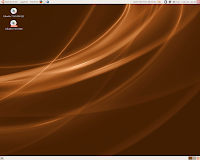
But I will also give you a quick go-over of all the diffirent most popular official ubutnu family OSs:

Standard Ubuntu: Linux for Human Beings Using the Gnome Desktop Enviroment. A fork of debian made to be more 'human oriented'


UNR(Ubuntu Netbook Remix): Ubuntu for netbooks. Whih is what  us and I love it! Note: Don't use the default netbook desktop, it uses up too much cpu. Just switch to the deafualt one, add gnome-panel and gnome-wm to the startup apps and voila, much better (if you want the netbook window effect, you just need to play around a bit with the toolbar!)


Ubuntu Server Version: Ubuntu for Server Machines (I you don't know what a server is, Look it up!)

Kubuntu: Ubuntu with 'KDE'(Kubuntu Desktop Enviroment) , a more flash and cpu consumptive DE. My opinion of it is that it is extremely flash with brilliant effects but it takes a lot of cpu and requires a good enough expert who is prepared to muck around and do research(unless they are extremely lucky!)

Edubuntu: An 'Educationaly Oriented' Version of Ubuntu. It is basicly Ubtuntu with a bit of 'cheezy' educational software which you can just install on ubuntu as far as I'm concerned. Unless your a teacher and want linux and is just starting.

Xubuntu: Make with XFCE which makes it better for old computers. It is very fast for old computers so don't trash you're oldies, just but Xubuntu on em!

UMR(Ubuntu Moblin Remix) An ubuntu version of Moblin(Mobile linux) I don't know much about it but please comment on this post to tell mee what it's like.

Gobuntu: A 'Green and Free' Version of Ubuntu. I think people are too crazy about green and natural so i don't agree with the philosophy of this one!

Ubuntu Studio: An Artist's Version of Ubuntu. I think it looks absolutey fantastic from the site. But you need a DVD to get it. Which is fine but I prefer to use DVDs for more important things. Otherwise I think this OS looks brilliant!

Mythbuntu: An Ubuntu for 'Myth TV'(I dont have a clue what that i)

Kubuntu Netbook(October09): Kubuntu 'Netbook Remix': Coming out in the future and i sure hope it's good!

An there are probably half a million others (Macbuntu, H...) but they are so small(and much probably worse), that I do not add them to this post!

Saturday, 12 September 2009

Chromium or Google Chrome


Today I was surfing around looking at all the 'best browsers'(which is my latest curiosity) and I found chrome. I had seen it before and had liked the look but I had never actually used it. So, I looked around for a bit more and found Chromium (Chrome for Linux) and I installed it and loved it!

It wasn't good on flash and miniclip but it was extremly fast and simple with a very slick appearance. I compared it to Safari and saw no diffirence but for the chrome tab effect and the navigation toolbar boxes both as one in chrome.

This post is only short because unlike any other browser, I had no problems!

Tuesday, 25 August 2009

My EP continued: easy peasy

Here I'll tell you a little more and perhaps the rest of what's happening with my EP.

After I was finished with Xandros and ready to move on to something else I found out about 'Easy Peasy', Ubuntu for netbooks. After a bit I managed to get it and learned how to turn the .img file into a bootable USB stick using a pre-installed ubuntu AP called something like USB disk creator (if your using this as a tutorial, I probably got the name wong and I think for .img's you need another AP on the ubuntu site) and put it on a USB. Then I put it on my eeepc and started it up.

I was quite pleased to have Ubuntu for a change and was surprised at the way the netbok desktop worked but I prefered the classic ubuntu desktop so I switched to it. From then on it worked fine untill I rebooted and...

The toolbars didn't load, I got the background image but that was all. I tried several things but I couldn't fix it. So, I reinstalled the OS, I know that sounds a bit drastic but I did it and this time I just used the netbook-style desktop.

That worked out OK and I used it for a while happily. Untill another problem arose, when I reebooted it would ask me for the wireless rooter password and a linux keyring. But, something went wrong one day when the keyring password didn't wok and I couldn't do anything so I just gave-up with easy peasy and moved on to...